此網站預設SideBar(側邊欄)在右邊,想換邊步驟如下
- 【外觀】>【自訂】

- 點選【Theme Options】
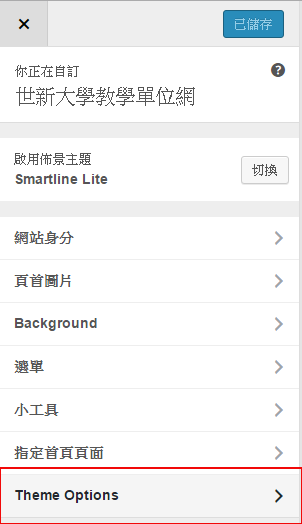
- 點選【General Settings】

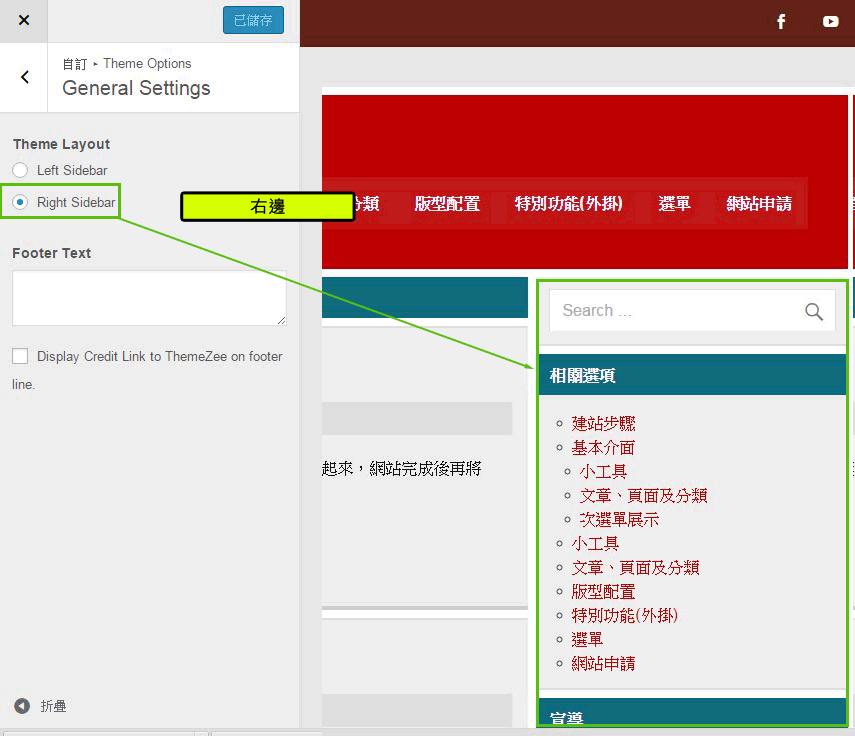
- 點選【Right Siderbar】側邊欄設定在右邊
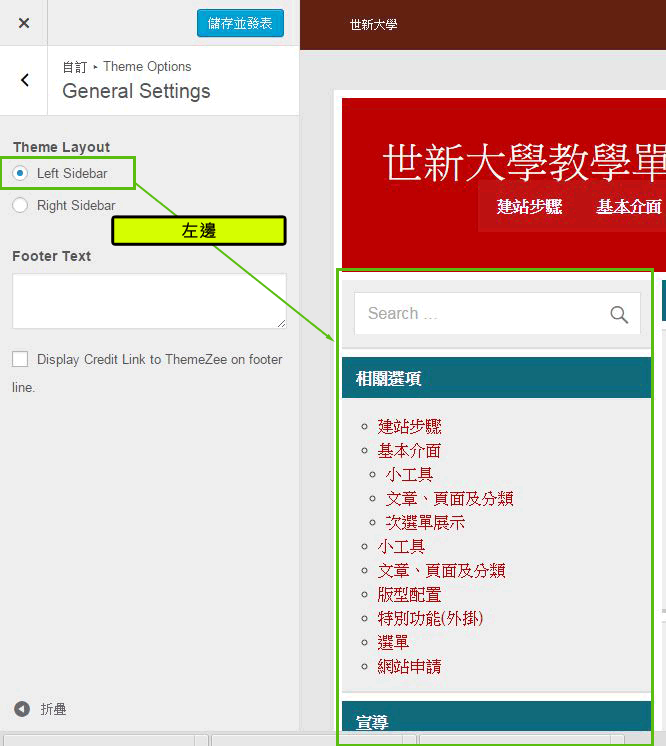
- 點選【Left Siderbar】側邊欄設定在左邊

各位資傳新生大家好!!歡迎加入資訊傳播學系
請大家加入115級資傳系新生Line群組⬇⬇
此網站預設SideBar(側邊欄)在右邊,想換邊步驟如下


© 2026 世新大學資訊傳播學系. Created with  using WordPress and Kubio